
How it works

From a lane to a Bill of Lading in two minutes.

The same three steps whether you start from a Shopify order or from a blank quote form. Where the two genuinely differ, it says so.

  1. 01

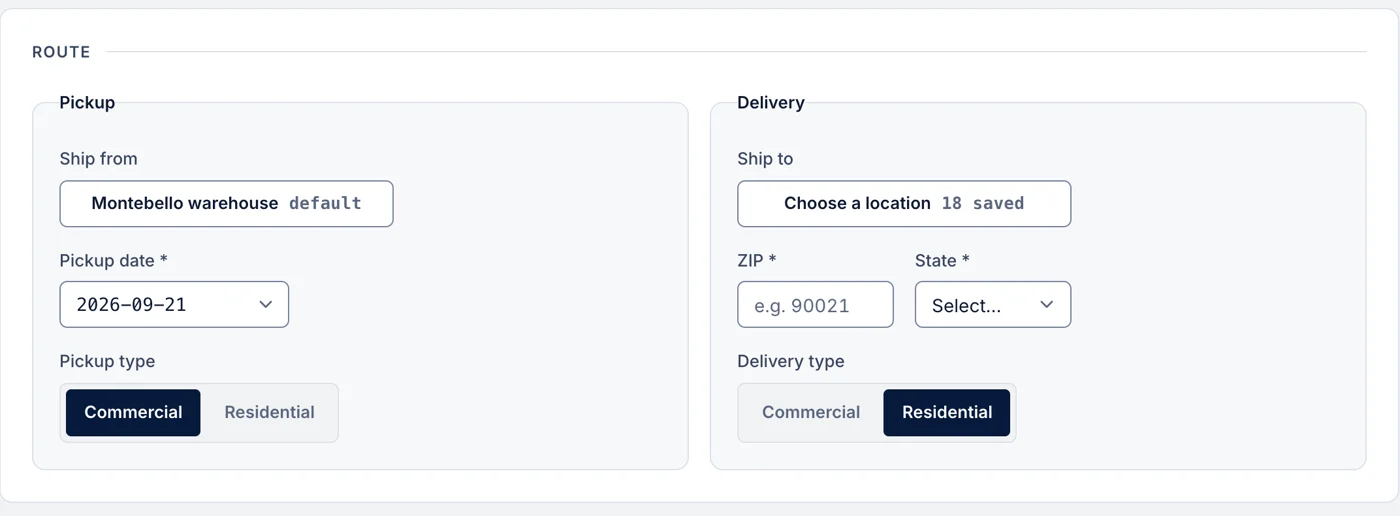
    Enter the shipment

    Origin, destination, and the handling units: dimensions, weight, and whether either end is residential. The pickup calendar only offers dates the carrier can actually collect — weekends and federal holidays are closed, and the earliest slot is the next business day.

    In Shopify: pre-filled from the order. In the portal: pick a saved ship-from and search your catalog. A multi-box model adds one line per box.

    FromLos Angeles, CA 90045
    ToAustin, TX 78704
    Freight2 × pallet · 420 lb
    PickupTue 18 Aug · Full day
    Get quotes
  2. 02

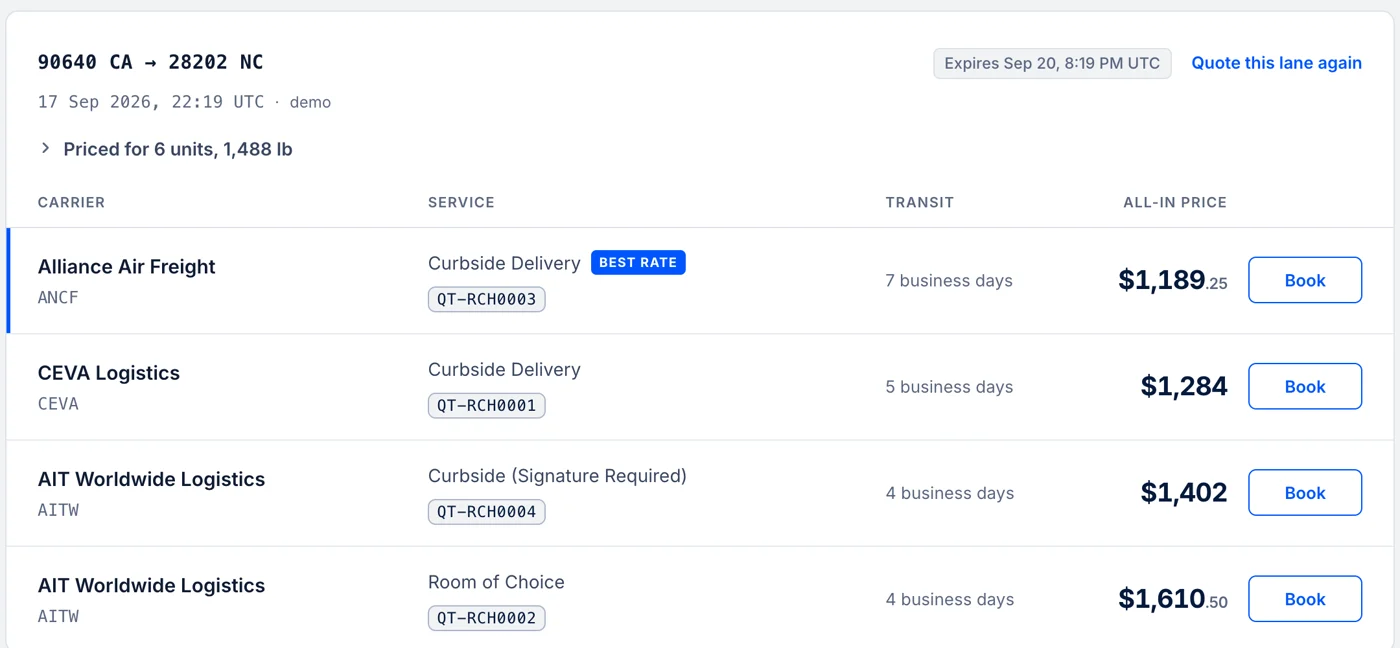
    Compare every carrier at once

    We fan out to CEVA, Alliance, and AIT in parallel and rank what comes back cheapest first, by service level: curbside, room of choice, or white glove. Each price is all-in and already includes our margin.

    Transit times are made comparable before you see them: where a carrier quotes a range, we show its slowest day. “5 business days” therefore means the same thing on two competing quotes.

    3 quotes returned 1.4s
    CEVA3d · Curbside Delivery
    $184.50
    AIT5d · Room of Choice
    $198.75
    Alliance2d · White Glove
    $212.00
  3. 03

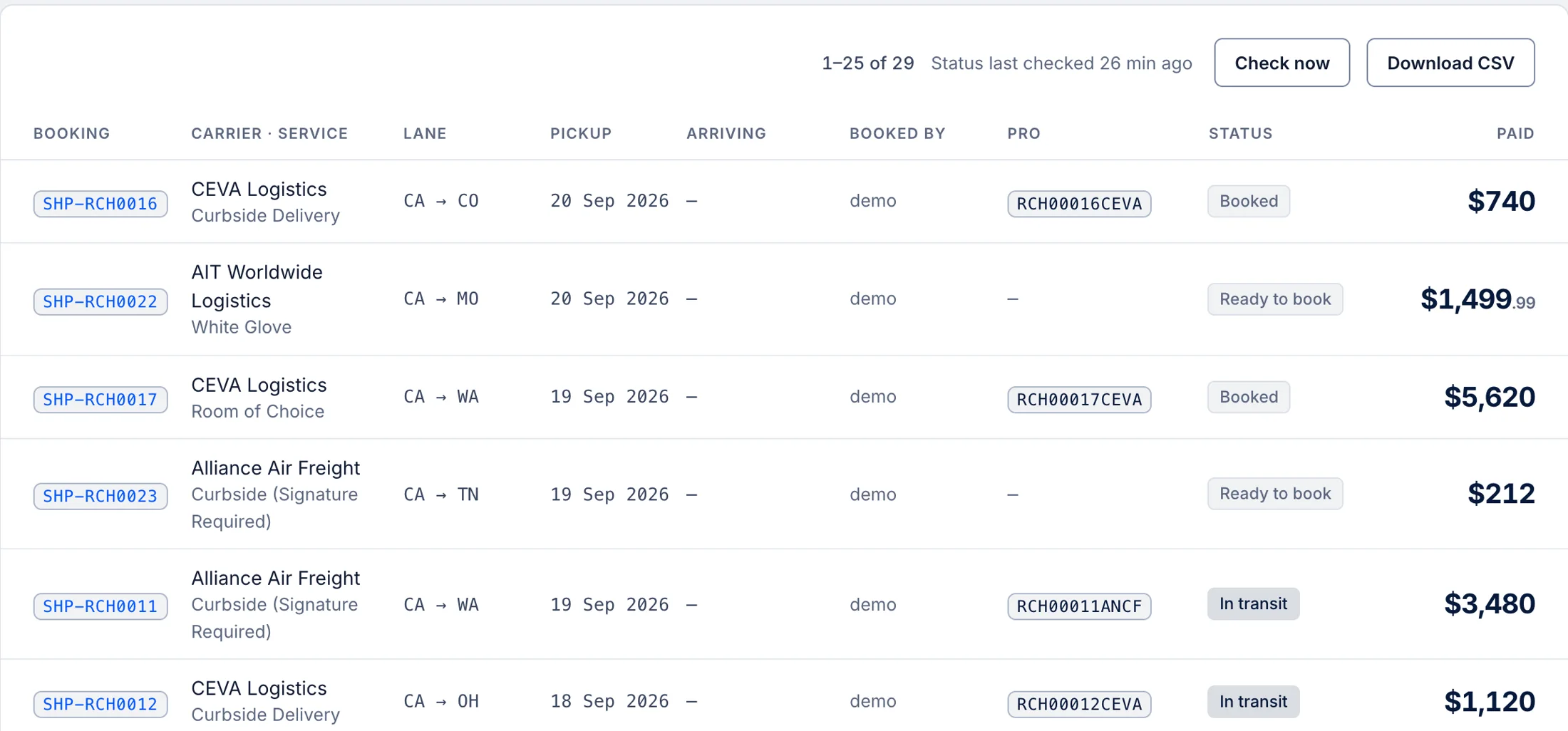
    Book it and track it

    We tender the freight and generate the carrier’s real Bill of Lading, not a placeholder PDF, with a PRO number you can hand to anyone. After that the status refreshes from the carrier on its own every few minutes, exceptions get flagged, and the person waiting at the other end can be notified.

    In Shopify: approve the charge in Shopify’s billing prompt; the PRO writes back to the order. In the portal: pay by card and the BOL is issued straight away.

    Booked $184.50
    PRO128945039
    StatusIn transit · Phoenix, AZ
    DocumentBill of Lading.pdf
    Track shipment
What you get

One document, one number, one link.

A booking produces exactly three things you can act on. We would rather do those three properly than hand you a folder of PDFs.

  • The carrier’s Bill of Lading

    The real document the driver expects, issued by the carrier and downloadable from the shipment. Not a template we filled in on their behalf.

  • A PRO number

    The carrier’s own tracking number. Hand it to a customer, a warehouse, or the carrier’s phone line and it means something to all three.

  • A tracking link that stays yours

    Forwardable, no login, showing PRO, carrier, status and dates. It never mentions ShipEasy — your customer bought from you, so you stay the brand on the page they open.

Two ways in

Where the two rails differ.

One carrier network, one Bill of Lading, one support desk behind both. What changes is where you start and how you pay.

Shopify app

Starts from an order.

The address, line items and warehouse come from the Shopify order. You approve a one-time charge in Shopify’s own billing prompt, and the PRO number, tracking URL and fulfillment write back to the order timeline.

Free to install. No card, no carrier accounts.

Freight portal

Starts from a blank form.

For quoting with a customer in front of you and no order to work from. Saved ship-from locations, a shared SKU catalog, and payment by card — with the option to save it for the next booking.

A person reviews the request before the account opens.

Separate accounts with separate sign-ins, so one login doesn’t carry across. Plenty of companies run both.

Start shipping

Book your first shipment this week.

Install it into Shopify in about five minutes. Or request a portal account for your team — a person reviews that one, so it takes a little longer.

Not sure which? Email us. A real person replies within one business day.

Get started