
Freight that never leaves the order.
Everything happens where your team already works, and the order writes itself back. Free to install, billed through Shopify, one charge per Bill of Lading.
It starts on the orders you already have.
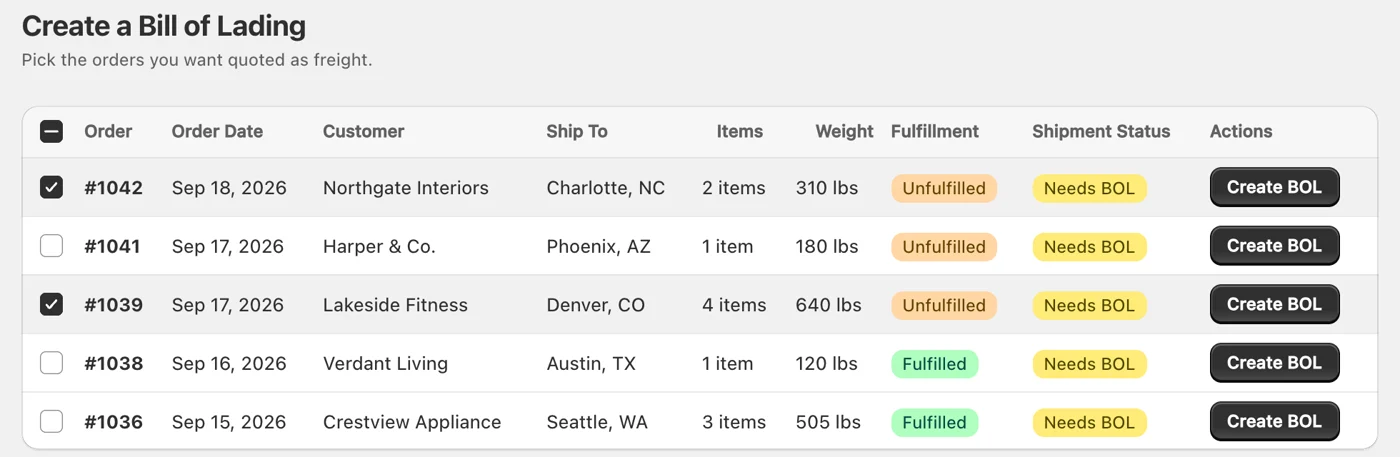
ShipEasy adds a screen to your Shopify admin listing the orders that need freight, with the destination, the item count and the weight already on the row. Pick one, or select several and quote them in one pass.
Every carrier, priced inside the order.
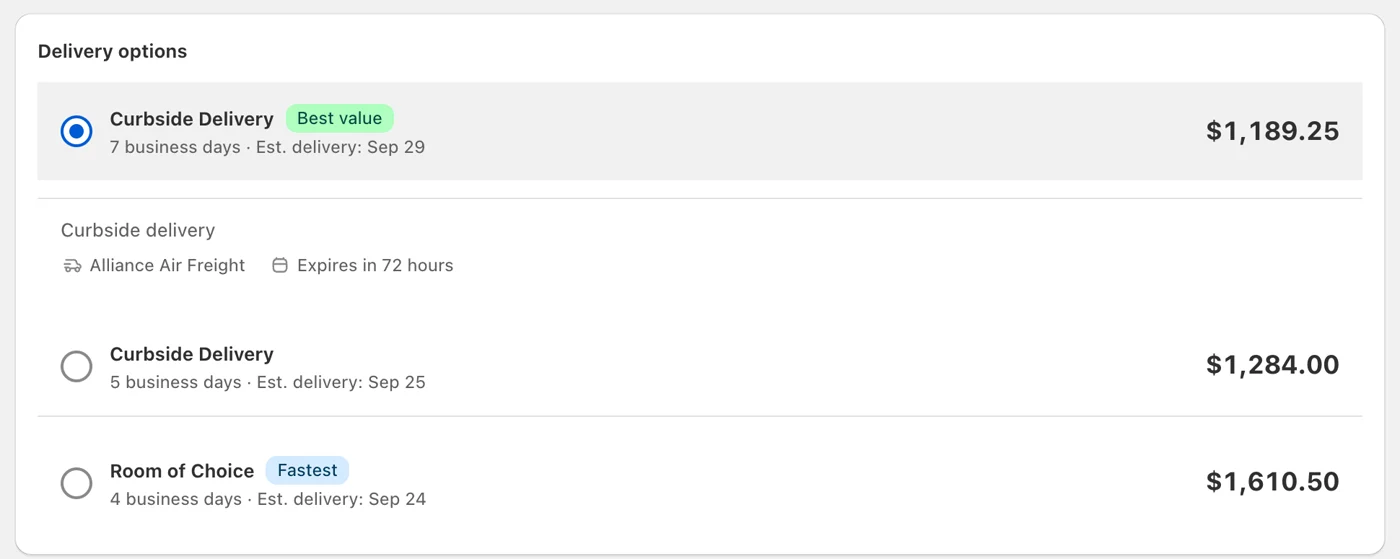
The rates come back in the order itself, ranked cheapest first by service level. Each price is all-in, with the accessorials already in it, and the quote holds for 72 hours.
What the Shopify app does
-
Starts from the order
Open a Shopify order, or reach ShipEasy from the More actions menu. The shipping address, the line items and your default warehouse are already filled in.
-
Bulk booking
Filter the orders that need freight, apply an origin and packaging across all of them, quote the batch in one pass, and check out once. Up to 50 orders at a time.
-
Dimensions live on the product
Keep freight dimensions and weights against a variant or product, uploaded by CSV if you have hundreds. Every future quote for that item prefills itself.
-
Automatic fulfillment
When the carrier collects, ShipEasy fulfills the order, writes the PRO number and tracking URL into the timeline, and — if you want — emails your customer. You can leave every one of those switches off.
-
Spend and lanes
Average cost per shipment, carrier mix and your busiest lanes. Every number clicks through to the shipments behind it.
-
Shop defaults
Default warehouse, pickup window, handling-unit type and which carriers you want quoted, saved per shop and overridable per shipment.
Everything else is the same on both rails:
Not selling on Shopify, or the people quoting freight don’t work in your Shopify admin? The freight portal is the same carriers and the same Bill of Lading, in a browser.
Book your first shipment this week.
Free to install, and about five minutes from the App Store to your first quote. Not selling on Shopify? The portal is the same carriers in a browser.
Not sure which? Email us. We reply within one business day.